
Ringtones for Android™
Ringtones and Wallpapers Apps by TrelaMusic & Audio
4.220.44K Reviews
- Version
- 15.12.6
- Installs
- 100.00M
- Age Rating
- Teen
Screenshots
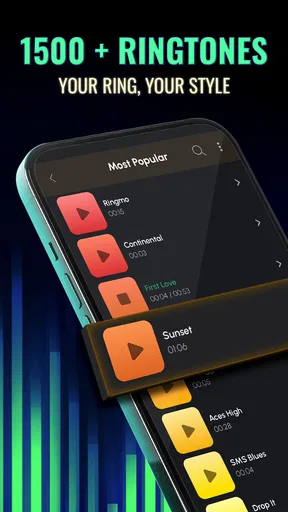

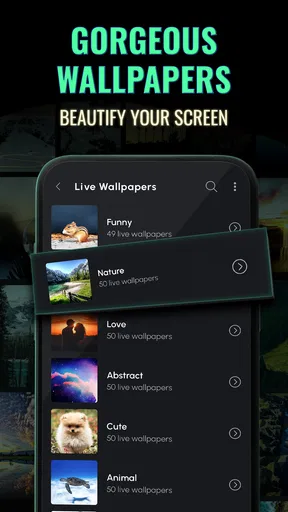
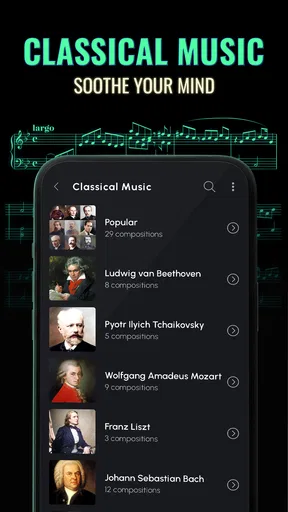
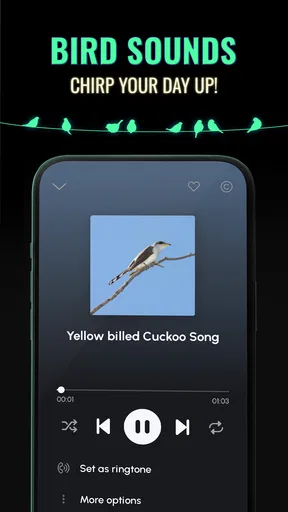
Our Review of Ringtones for Android™
 Analysis by Appyee
When I want a phone to feel a little more personal, I usually start with the sounds I hear every day. Ringtones for Android™ is a music and audio app from Peaksel Ringtones Apps that brings ringtone choices together with wallpapers. Its appeal is easy to understand: it gives you a place to browse for a new sound instead of settling for the default one. I’d treat it as a handy customization tool, while keeping realistic expectations about choice, permissions, and what any free app asks you to consider.
What I would check before browsing
The app is free to install, is rated for Teen audiences, and has in-app purchases priced from $0.49 to $79.99 per item. That range is broad enough that I’d look carefully at any purchase screen rather than tapping through automatically. You can explore the idea of changing your phone’s sound without paying upfront, but free access does not mean every item or option must be free. If you are setting it up for a younger user, the Teen rating and purchase controls on the device are worth keeping in mind.
Its track record offers useful context, not a guarantee about every individual experience. It has a 4.2 average from around 619,000 ratings, with about 20,000 written reviews, and has passed 50 million installs. Those figures suggest that many people have tried it, but they do not tell me whether a particular sound will suit you or how the app behaves on your specific phone. I’d use the first session to judge the browsing experience for myself and read each prompt before granting access or making a purchase.
Exploring the App's Features
First off, downloading Ringtones for Android™ was a breeze. I hopped onto the Play Store, searched for the app, and within seconds, it was ready to go. Once you open it, you're greeted with a super intuitive interface. Everything's laid out in a way that just makes sense, which is a huge plus if you want to dive in and start customizing without any fuss.
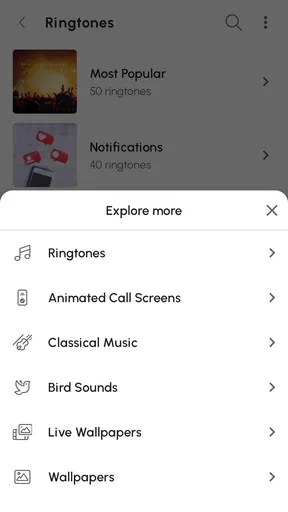
The app offers a massive library of ringtones. I mean, we’re talking hundreds—no, wait—thousands of sounds. From the latest chart-toppers to classic tunes and quirky sound effects, there’s something for everyone. And if you’re feeling a bit nostalgic, they've got those old-school phone ringtones that can make anyone smile.
Customizing Your Experience
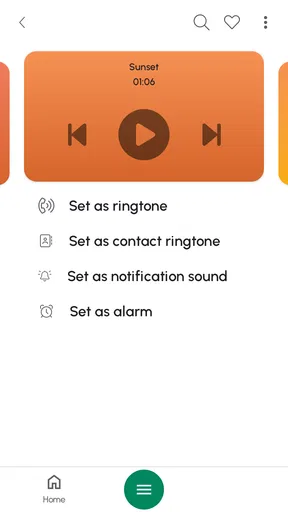
What I really loved is how customizable everything is. Not only can you pick and choose your favorite ringtones, but you can also set specific tunes for different contacts. Imagine knowing who’s calling just by the ringtone—super handy, right? Plus, the app allows you to edit and cut ringtones to your liking, so if you have a particular part of a song you love, you can make it your ringtone. How cool is that?
Oh, and did I mention the app doesn’t just stop at ringtones? It also lets you customize notification sounds and alarms. I’ve now got a different sound for my emails, messages, and even my morning wake-up! Trust me, waking up to a fun tune beats the default alarm sound any day.
Choosing sounds that stay useful
There’s a practical side to personalization that’s easy to miss: a sound can be entertaining in the preview but irritating when it repeats all day. I’d test a candidate at the volume I normally use, then imagine hearing it in a quiet room, at work, or while carrying my phone in a bag. A short, distinct tone is often more useful for messages than a long musical clip; a ringtone can afford to be more recognizable because calls happen less often.
Contact-specific tones are most helpful when I assign them selectively. Giving every person a unique sound quickly becomes hard to remember, so I’d start with a few important contacts and leave everyone else on one general ringtone. That makes the feature serve a clear purpose rather than turning incoming calls into a guessing game. If I later change the general sound, I’d also check that those chosen contacts still have the tones I intended.
User-Friendly and Fun
The user interface deserves a shoutout. It’s sleek, colorful, and straightforward. Even if you’re not tech-savvy, you’ll find it easy to navigate. The search function is robust, allowing you to filter ringtones by category or popularity, which saves a ton of time. And the best part? No annoying ads popping up every second. They’re there, but they’re not intrusive, which is a refreshing change.
Another thing I appreciated was the community vibe. You can see which ringtones are trending and what other users are downloading. It’s like being part of a little ringtone-loving community, and who wouldn’t want that?
What the controls mean in everyday use
A sound app can interact with settings that matter, so I prefer to slow down at the moment it asks to apply a tone or reach a part of the phone. I read the wording on each system prompt and decide whether it matches the action I’m trying to take. I would not grant an unrelated permission just to get past a screen; if a choice is unclear, I pause and check the app’s settings and the device’s permission controls before continuing.
That habit is especially useful when browsing wallpapers or trying a new ringtone source. A preview is one thing; saving or applying something is another. I’d confirm the selected sound and destination before making a change, then place a test call or send a test notification when convenient. That small check can prevent an unexpectedly loud alarm or a tone assigned to the wrong kind of alert.
Where it fits among the alternatives
Compared with choosing from sounds already built into Android, a dedicated ringtone app is appealing when I want a broader browsing experience and a quicker way to explore different styles. The built-in sound picker is usually the simpler choice if I already have an audio file or only need to change one setting. It also avoids adding another app to the process. For someone who enjoys sampling options, categories, and popular choices, this app’s more discovery-oriented approach is the stronger fit.
It is not automatically the best route for every kind of customization. If I want precise control over audio files, I may prefer a separate audio editor or a file-based workflow, particularly when I already know exactly which segment I want. The app’s appeal is convenience and variety, while a manual approach can offer more direct control. I’d choose based on whether I’m browsing for inspiration or arriving with a specific sound and a specific edit in mind.
Why You’ll Love It
So, why should you give it a shot? Well, if you’re all about personalization and making your phone truly yours, this app is a gem. It’s got a vast selection, easy-to-use features, and it’s just plain fun to explore. Plus, who doesn’t love spicing up their phone’s sound game?
And just a little tip from me to you: keep an eye out for seasonal updates. They’ve got some awesome holiday ringtones that are perfect for getting into the festive spirit. I tried a spooky Halloween ringtone last month, and it was a hit with my friends.
A sensible routine for trying it out
For a low-stress first session, I’d pick one ringtone, one notification sound, and—only if I actually want it—one wallpaper. I’d listen to each choice before applying it, check which phone setting it is meant to change, and avoid changing several alerts at once. If a sound becomes annoying after a day or two, it is easier to identify and undo one change than to retrace a whole round of customization.
On a busy morning, for example, a distinct but restrained alarm can help me tell it apart from messages without making every notification startling. Later, a different tone for a close contact could help me recognize an important call when my phone is across the room. Those are modest benefits, but they are the sort of everyday improvements that make sound customization worthwhile. I’d skip the app if I never change my phone’s default sounds, want no in-app purchase prompts, or prefer to keep customization entirely within Android’s built-in settings.
A cautious verdict
The app’s current version is 15.12.1, and it supports Android 7.0 and up, which makes checking your device’s software version a sensible first step if you are unsure about compatibility. I would also keep an eye on the price attached to any optional purchase and use the phone’s purchase controls if someone else, especially a Teen, will be exploring it. Those are straightforward precautions, not reasons to avoid trying the free app.
My main reservation is that a large library and a fun browsing session do not guarantee that every sound will work for every routine. Popularity can help me discover options, but it is not a substitute for listening and checking how a tone feels in real use. Ads and purchase prompts can also be part of the experience, so anyone expecting a completely interruption-free or entirely free catalog may prefer the basic sounds already available on the phone.
So, go ahead, give it a download, and let your phone sing a new tune. You never know, you might just find the perfect sound that matches your vibe.
Verdict
Strengths of Ringtones for Android™
- Wide variety of ringtones available.
- User-friendly interface.
- Customizable ringtone options.
- Regular updates with new content.
- Compatible with most Android devices.
Limitations of Ringtones for Android™
- Contains in-app ads.
- Limited free ringtone selection.
- No offline mode available.
- Some ringtones require premium purchase.
- Occasional app crashes reported.
Similar Picks in This Category
View All
YouTube Music
Google LLC4.4

Samsung Music
Samsung Electronics Co., Ltd.3.8

Spotify: Music and Podcasts
Spotify AB4.3

JioSaavn - Music & Podcasts
Saavn Media Limited4.3

Lark Player:Music Player & MP3
Lark Player Studio - Music, MP3 & Video Player4.6

StarMaker: Sing Karaoke Songs
SKYWORK AI PTE. LTD.4.3
Frequently Asked Questions
What features does the Ringtones for Android™ app offer?
Ringtones for Android™ provides a vast library of ringtones, including music, sound effects, and alerts. Users can customize their phone’s sound profile by setting different tones for calls, messages, and notifications. The app also supports ringtone editing, allowing users to trim audio files to create personalized ringtones.
Is Ringtones for Android™ free to use, and are there any in-app purchases?
The app is free to download and use, offering a wide selection of ringtones at no cost. However, it includes in-app purchases for premium content and features such as ad removal and exclusive ringtones. Users can choose to enhance their experience by purchasing these optional upgrades.
How can I set a ringtone from the app as my default ringtone?
To set a ringtone from the app, browse or search for your desired sound. Once found, tap the download or set icon, and choose the option to set it as your default ringtone. You may need to grant the app permission to modify system settings to complete this process.
Does Ringtones for Android™ require internet access to function?
While the app requires an internet connection to download new ringtones, offline access is available for previously downloaded tones. Users can browse and set existing ringtones without internet access, making it convenient for those who prefer offline functionality.
Is Ringtones for Android™ safe for my device?
Yes, Ringtones for Android™ is generally safe to use, provided it is downloaded from a reputable source like the Google Play Store. The app is regularly updated to ensure security and performance. However, users should always be cautious of permissions requested by the app, granting only those necessary for its operation.
